
A job seeker reviewing a resume and a role description at a desk with a laptop nearby. AI-generated editorial image.
Taluno can help job seekers surface relevant roles, make a CV clearer, and prepare for the conversations ahead. The key is to use those tools as support, not as a substitute for judgment. A strong application still depends on accurate experience, a clear understanding of the role, and careful review before you send anything.
This article focuses on a simple question: how do you use AI job matching responsibly so it helps you move faster without changing your story? The short answer is to start with the role, check what fits your experience, and treat every suggestion as editable. Taluno’s published pages describe AI matching, resume optimization, and interview preparation for job seekers, plus AI-powered recruitment tools for employers. Those are useful starting points, but they do not replace your own decisions.
Start with the role, not the tool
Before you open a matching feature or rewrite your CV, identify the kind of role you actually want. Taluno’s jobs page encourages you to start with your strengths, and the job seeker page reminds you that your experience has a next chapter. That is a sensible place to begin: look at the responsibilities in the posting, then decide which parts of your background are relevant.
A good match is not only about title or keyword overlap. It is about whether you can explain your experience in a way that connects to the work. For example, if a role asks for coordination, communication, or problem-solving, look for times you did that work and can describe it honestly. If a responsibility is unfamiliar, do not force it into your application. Instead, note it as a learning area and be ready to discuss it in an interview.
Use Taluno to clarify, not to exaggerate
Taluno says it can help candidates make their CV clearer and prepare for interviews. That can be valuable if your experience is strong but the writing is muddy. Use the tool to improve structure, remove repetition, and highlight relevant examples. What you should not do is let it add claims you cannot support.
Helpful uses include:
- Reordering content so your most relevant experience appears first.
- Making job descriptions easier to read without changing the facts.
- Turning vague statements into specific examples you can explain aloud.
- Spotting gaps in presentation, such as missing contact details or confusing dates.
Risky uses include:
- Copying a suggested summary that sounds polished but is not fully accurate.
- Adding responsibilities you did not have.
- Inflating scope, seniority, or achievements.
- Using generic wording that no longer sounds like you.
The safest practice is simple: every time a tool suggests wording, ask, “Is this true, and can I explain it in conversation?” If the answer is no, revise it.
Prepare examples before you apply
Whether you are applying through Taluno’s jobs page or elsewhere, your application becomes stronger when you already know the examples you want to use. Choose a few situations that show how you work. Keep them factual and easy to retell.
For each example, write down:
- the situation or context
- what your responsibility was
- what you did
- what changed, if you know it
- what you learned
This structure helps both your CV and your interview prep. It also reduces the temptation to improvise under pressure. If you have numbers that are accurate, use them. If you do not, do not invent them. A clear, honest description is better than a vague claim with a made-up metric.
Use interview prep to practise, not to script
Taluno’s job seeker page mentions interview preparation. That is useful if you want a rehearsal space before a real conversation. The best way to use it is to practise out loud, then refine your answers until they sound natural.

Do not memorise a script line by line. Memorised answers often sound flat and can break when the interviewer asks a follow-up question. Instead, prepare themes:
- why the role interests you
- how your experience connects to the work
- what you want to learn next
- questions you want to ask about the team and expectations
A conversational answer is usually easier for you and more useful for the employer. If you need a pause during the interview, take it. Thoughtful silence is better than rushing into an inaccurate answer.
A practical workflow for job seekers
If you want a straightforward process, try this sequence:
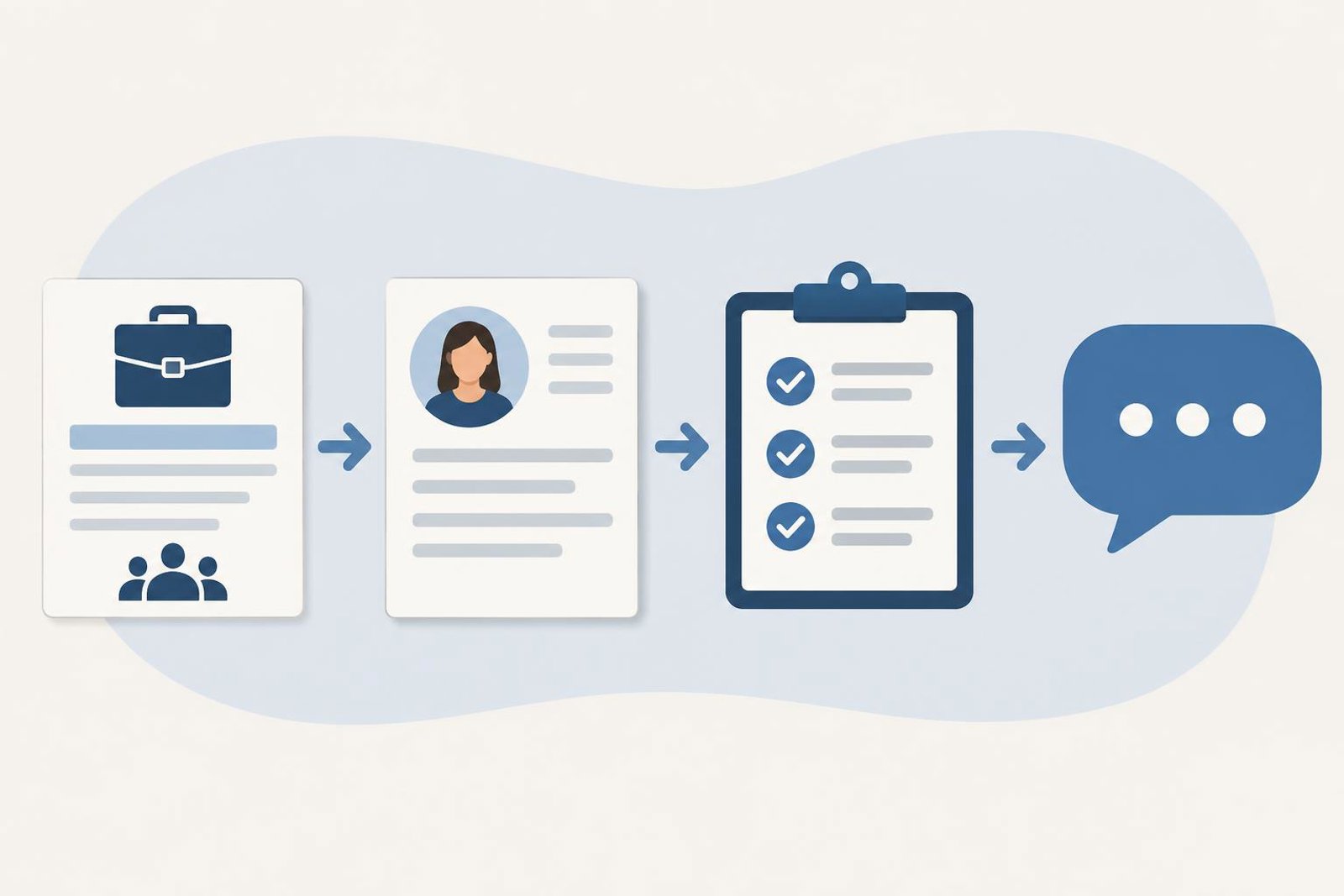
- Open the role description and underline the responsibilities that matter most.
- Match those responsibilities to real experience you can explain clearly.
- Use Taluno to help organise and refine your CV.
- Review every line for accuracy and tone.
- Prepare interview examples and questions.
- Check contact details, dates, and section headings before sending.
This workflow is deliberately simple. It keeps the tool in the background and puts your judgment in the foreground. That matters because the goal is not only to submit faster; it is to submit something you would be comfortable defending in a conversation.
What employers can learn from the same principle
Taluno’s employer pages describe tools for connecting, interviewing, and managing candidates, along with onboarding information for teams that want to provide company details. The same caution applies on the hiring side: automation can support communication and organisation, but it should not replace a clear brief or human review.
One useful principle from the employer-focused blog content is to describe the actual work, separate essentials from preferences, and make practical details clear. That helps candidates decide whether to apply and prepares them for better conversations. It also reduces confusion later, which is useful for everyone involved.
Employers should also avoid overpromising what technology can do. Taluno may help with AI-powered recruitment workflows, but responsible hiring still depends on clear expectations, accurate information, and thoughtful evaluation.
Checklist before you apply or interview
- Have I read the role carefully and understood the core responsibilities?
- Have I chosen only the experience that is truly relevant?
- Have I checked every suggestion for accuracy?
- Does my CV still sound like me?
- Do I have a few real examples ready to discuss?
- Have I prepared questions about the team and the work?
- Are my contact details, dates, and section headings correct?
If you can answer yes to most of these, you are likely using AI support well: as a helper, not a replacement for your own judgment.
To continue, review your current CV against one role you want and use Taluno’s candidate tools to clarify the parts that are hardest to explain clearly.
Explore Taluno tools for job seekers and browse job opportunities.